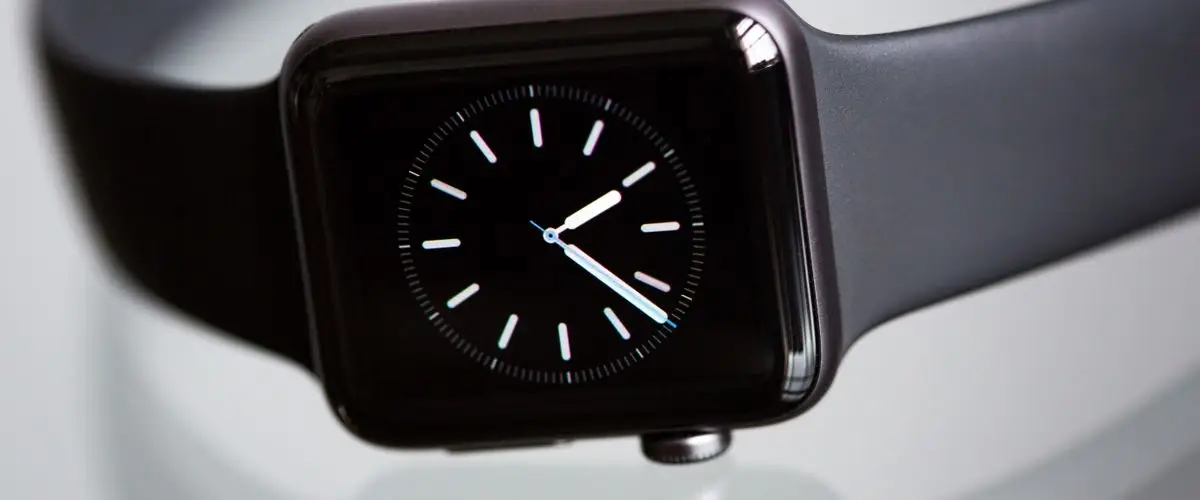
The Apple Watch as a running watch
The Apple Watch is, by far, the best-selling smartwatch in the world. Millions of people wear it daily to manage notifications, monitor their health, and increasingly, to track their running workouts. With the launch of the Apple Watch Series 10 and the consolidation of the Apple Watch Ultra 2, Apple has made it clear that it wants to be a serious option for runners (World Athletics) (WHO). But is it really?
The reality is that the Apple Watch occupies a peculiar space in the GPS running watch guide market. It wasn't born as a sports watch, but as a lifestyle device with health and fitness features. Over the years, Apple has added sports features: first built-in GPS, then an improved heart rate sensor, then advanced running metrics, and finally, with the Ultra, a product clearly aimed at endurance athletes. The result is a watch that does many things extraordinarily well, but competes with devices designed from the ground up for running.
The Apple Watch is particularly popular among recreational runners who are already in the Apple ecosystem. They have an iPhone, maybe AirPods, and adding an Apple Watch is the natural extension. They're not looking for the most technical running watch on the market, but a device that lets them track their runs with reliable data while still being a complete smartwatch for the rest of the day. And for that profile, the Apple Watch works surprisingly well.
In this guide, we'll analyze the Apple Watch as a running tool with the same depth we apply to any sports watch in our GPS running watches section. We'll cover its sports features, battery life, app ecosystem, exclusive advantages, and with total honesty, its limitations compared to specialized watches like Garmin or COROS. If you're deciding between an Apple Watch and a dedicated running watch, this guide will help you make up your mind.
Apple Watch running features
Apple has made significant progress in running features, especially since watchOS 9 and watchOS 10, which introduced metrics that were previously exclusive to high-end sports watches. Let's look at what the Apple Watch offers a runner in 2026.
GPS and route tracking
The Apple Watch Series 10 includes L1 GPS, meaning single-frequency. It works correctly in open spaces like parks, tracks, and wide avenues, but can lose accuracy on narrow streets with tall buildings or in dense forests. The Apple Watch Ultra 2 takes a significant step up by including dual-frequency GPS (L1 + L5), the same technology found in high-end Garmin and COROS watches. This translates to more accurate route recordings in challenging conditions: urban centers with skyscrapers, mountain canyons, or dense forests.
In our testing, the Ultra 2's GPS offers accuracy comparable to a Garmin Forerunner 265 or a COROS PACE 3 with multiband GPS. The Series 10 is less accurate in difficult environments, with distance deviations that can reach 2-3% in congested urban areas. For runners who train in parks or open areas, the difference is negligible. For those who run through the center of a large city, the Ultra 2's dual GPS makes a real difference (ACSM).
Heart rate sensor
The Apple Watch's optical heart rate sensor is one of the most accurate on the market. Apple has refined this sensor over ten generations and the results are excellent: stable readings during both steady-state running and high-intensity intervals. Heart rate is used to calculate training zones, estimate calories burned, and feed performance metrics. If you want greater accuracy for very specific zone training, you can pair a Bluetooth chest strap like the Polar H10, but for most runners the Apple Watch's optical sensor is more than sufficient.
Advanced running metrics
Since watchOS 9, the Apple Watch measures advanced running metrics that previously required external sensors or high-end watches. These metrics are calculated using the accelerometer, gyroscope, and Apple's motion algorithms:
- Running Power: Measured in watts, it indicates the mechanical effort you're producing while running. It's an alternative metric to heart rate for measuring intensity, with the advantage that it responds instantly (HR takes time to rise). The Apple Watch's power is an algorithmic estimate, not a direct measurement like a Stryd sensor, but it's useful as a relative reference.
- Vertical oscillation: How many centimeters your body rises and falls with each step. High oscillation indicates you're wasting energy on vertical movement instead of moving forward. Typical values range from 6 to 13 cm.
- Ground contact time: The milliseconds your foot remains in contact with the ground on each step. Lower values indicate more efficient running. Elite runners are around 200 ms, while recreational runners are typically between 250 and 350 ms.
- Stride length: The distance you cover with each step. Combined with cadence, it gives you a complete picture of your running mechanics.
- Cadence: Steps per minute. The general reference is that a cadence of 170-180 spm is efficient for most runners, although it varies depending on speed, height, and individual biomechanics.
These metrics are displayed in real time during workouts by configuring the data screens in the Workout app, and are stored in Apple's Health app for later analysis. It's an impressive data set that just a few years ago was only available on sports watches costing over 400 euros. If you want to dive deeper into how to interpret these metrics, check out our guide on how to choose a GPS running watch.
Pace alerts and custom workouts
The Apple Watch lets you set up alerts for pace, heart rate, cadence, and distance during your runs. You can create structured workouts with work and rest intervals directly from the watch or from the iPhone's Fitness app. For example, you can program a workout of 6 repeats of 1 kilometer at a target pace of 4:30/km with 2 minutes of recovery between each one. The watch will notify you with a vibration and audible alert when you need to switch phases.
This functionality is relatively recent and functional, although less sophisticated than Garmin Connect's training plans, which allow you to import complete weekly programs from platforms like TrainingPeaks or create adaptive plans based on your fitness level. On the Apple Watch, workouts are more manual and one-off rather than part of a long-term training periodization program.
Battery: the Achilles' heel
Battery life is, without a doubt, the Apple Watch's weakest point for runners. It's the factor that most limits its sports usefulness and the one that creates the biggest gap compared to dedicated running watches. Let's be clear with the numbers.
Find your running with a group
1,100+ runners already train together. Free on iOS.
The Apple Watch Series 10 offers approximately 18 hours of general smartwatch use (a normal day of usage). With GPS continuously active, this figure drops dramatically to about 6 hours. In practice, this means that if you go out for a one-hour morning run, you'll arrive at the end of the day with the battery very tight. And if you're training for a marathon and your goal is to finish in 4-5 hours, you'll arrive with the watch at its limit.
The Apple Watch Ultra 2 significantly improves the situation: about 36 hours of general use and approximately 12 hours of continuous GPS. This is sufficient for a marathon without stress and for most long trail runs. However, it's still far from the specialized competition.
To put these numbers in context, here's what the competition offers:
- Garmin Forerunner 265: up to 24 hours of continuous GPS and 13 days in smartwatch mode.
- COROS PACE 3: up to 38 hours of continuous GPS and 24 days in smartwatch mode.
- Garmin Forerunner 965: up to 31 hours of continuous GPS and 23 days in smartwatch mode.
The difference is enormous. A runner with a COROS PACE 3 can train all week, record 5-6 one-hour GPS sessions, and not need to charge the watch until the weekend. A runner with an Apple Watch Series 10 needs to charge the watch daily, and if they forget one night, they might run out of battery for the next day's workout.
The Apple Watch Ultra 2 reduces this problem but doesn't eliminate it. You'll need to charge it every 2-3 days if you train regularly, which is still more frequent than any dedicated running watch on the market. Additionally, if you activate the Always-On Display, 24/7 heart rate data, and notifications, battery life decreases even further.
Native app vs third-party apps
One of the Apple Watch's great strengths over running watches is its app ecosystem. While Garmin and COROS are limited to their own platforms, the Apple Watch gives you access to the App Store with hundreds of sports apps. But which one should you use for running?
Workout app (Apple's native app)
The Workout app that comes preinstalled on the Apple Watch has improved enormously. It offers all the basic and advanced metrics we've described, allows you to customize data screens with up to four metrics per screen, supports structured workouts with intervals, and shows configurable alerts for pace, heart rate, and distance. Data syncs automatically with the iPhone's Health app and the Fitness app, where you can analyze your long-term trends. For recreational runners, the native app is all you need.
Strava on Apple Watch
Strava is probably the most popular running app in the world and its Apple Watch version is fully functional. You can start and record runs directly from the watch, see your pace, HR, and distance in real time, and receive live segment alerts (Live Segments) if you have a premium subscription. Syncing with the Strava community is instant. You can also record with Apple's native app and automatically sync activities to Strava, giving you the best of both worlds: Apple's advanced metrics and Strava's social component.
Nike Run Club
Nike Run Club offers guided runs with audio coaching, free adaptive training plans, and an attractive visual interface. The experience of using NRC on the Apple Watch is very polished: guided runs combine music, pace instructions, and motivation seamlessly. If you're a runner who needs motivation and structure, NRC is an excellent option that has no equivalent on Garmin or COROS.
WorkOutDoors
WorkOutDoors is the hidden gem of the Apple Watch for serious runners. This paid app transforms the Apple Watch into something much closer to a dedicated running watch: it offers offline maps on the wrist, highly customizable data screens with up to 10 simultaneous metrics, GPX route navigation, advanced structured intervals, and export in formats compatible with all training platforms. If you feel Apple's native app falls short, WorkOutDoors is the solution. Many serious runners who use Apple Watch consider this app essential.
For a detailed comparison of all available running apps, check out our article on the best running apps in 2026.
Exclusive Apple Watch advantages
Although the Apple Watch has limitations as a pure running watch, it offers features that no sports watch on the market can match. These are the exclusive advantages that make many runners choose it over a Garmin or COROS.
Music and offline Spotify
The Apple Watch lets you store offline music from Apple Music, Spotify, and other platforms directly on the watch. Connect Bluetooth headphones, like AirPods or any of the models we review in our best running headphones guide, and run without needing to carry your iPhone. The music experience on the Apple Watch is, by far, the best of any smartwatch on the market. The interface is smooth, offline playlist syncing is fast, and Bluetooth audio quality is excellent.
LTE cellular connectivity
With the GPS + Cellular model, you can leave your iPhone at home and still receive calls, messages, notifications, and use apps that require an internet connection. This is especially useful for runners who want to be reachable for safety but don't want to carry their phone. You can call emergency services, send your location to a contact, or even stream music from Spotify without the iPhone nearby. Garmin offers LTE on the Forerunner 945 LTE, but the experience doesn't come close to Apple's integration.
Apple Pay
You finish your run, walk into a coffee shop, hold up your wrist, and pay. No wallet, no phone, no complications. Apple Pay works at most retailers and is a real convenience for runners who head out with nothing but their watch and headphones.
Fall and crash detection
The Apple Watch can detect if you've had a hard fall or a traffic accident and automatically call emergency services if you don't respond within a set period. For runners who train alone, especially on mountain trails, isolated paths, or in the early morning hours, this feature can be literally lifesaving. It also sends your location to your configured emergency contacts.
ECG and blood oxygen
The Apple Watch includes an electrocardiogram (ECG) sensor that can detect atrial fibrillation and an SpO2 sensor that measures blood oxygen levels. These aren't running-specific features, but they're relevant to overall runner health. The ECG can alert you to a heart arrhythmia you didn't know about, something that has happened to thousands of users worldwide. SpO2 is useful for runners who train at altitude or travel to competitions in elevated areas.
Integrated Apple ecosystem
If you have an iPhone, iPad, Mac, or AirPods, the Apple Watch integrates with all of them seamlessly. Your iPhone notifications appear on your wrist with the same visual richness, you can control the iPhone camera remotely to take photos at the end of a race, unlock your Mac with the watch, and share your real-time location with family while you run. This level of integration has no equivalent in any other watch ecosystem.
What it's missing vs a running watch
Being honest about the Apple Watch's limitations is essential for you to make an informed decision. These are the areas where a dedicated running watch clearly outperforms the Apple Watch.
No physical buttons (problematic with gloves)
The Apple Watch Series 10 is controlled exclusively via the touchscreen and digital crown. The Ultra 2 adds a programmable action button that improves the situation, but still relies mainly on the touchscreen for navigation. The problem appears when you run with gloves in winter: the touchscreen doesn't respond with regular gloves, and touchscreen-compatible gloves are usually less warm. Garmin and COROS watches have 4-5 physical buttons that work perfectly with any type of glove, in the rain, or with muddy hands.
Always-On Display and battery consumption
The Apple Watch's Always-On Display is visually spectacular but consumes significant battery. If you activate it, the already limited battery life decreases further. If you deactivate it, you need to raise your wrist or tap the screen to see your running data, which is inconvenient when you're running at a hard pace. Watches with MIP screens (like the COROS PACE 3) have an always-visible display with no battery impact, and Garmin AMOLED watches have an Always-On mode that consumes much less thanks to the low refresh rate.
Relative fragility
The Apple Watch Series 10 has an aluminum case and Ion-X glass that, while resistant, is more vulnerable to impacts and scratches than the sapphire crystal on many sports watches. The Ultra 2, with its titanium case and sapphire crystal, is much more robust but also much more expensive. If you run trails through areas with rocks, low branches, or technical terrain, a Garmin with Power Glass or a COROS with sapphire crystal will better withstand accidental impacts at a lower price.
No multiband GPS on the Series 10
The Apple Watch Series 10, despite its price of 450+ euros, doesn't include dual-frequency GPS. Multiband GPS (L1 + L5) is only available on the Ultra 2, which costs almost double. By comparison, the COROS PACE 3 includes multiband GPS for 230 euros and the Garmin Forerunner 265 also includes it for 349 euros. If GPS accuracy is important to you and you don't want to pay the Ultra 2's price, sports watches offer better value for the features.
No native structured training plans
Garmin offers free adaptive training plans through Garmin Coach, with personalized programs for 5K, 10K, and half marathon that automatically adjust based on your performance and availability. COROS lets you import training plans directly to the watch from its platform. The Apple Watch has nothing comparable natively. You can create individual workouts, but there's no long-term planning system that guides you week by week toward a race goal. To get this functionality, you need to turn to third-party apps like TrainAsONE or the previously mentioned Nike Run Club.
Basic recovery metrics
The Apple Watch offers nighttime heart rate variability (HRV) data and basic sleep analysis, but its recovery metrics don't reach the depth of the competition. Garmin offers Training Readiness, HRV Status, Body Battery, Training Load, and Acute/Chronic Load Ratio. COROS has its EvoLab system with Recovery Timer, Fatigue, Base Fitness, and detailed Training Effect. These metrics help serious runners avoid overtraining and periodize their preparation. On the Apple Watch, recovery information is more generic and less actionable for training decision-making.
To better understand which features are truly important in a running watch and which are secondary, read our guide on GPS running watches.
Apple Watch Series 10 vs Ultra 2 for running
If you've already decided you want an Apple Watch for running, the next question is: Series 10 or Ultra 2? The differences for running are significant. Here's the head-to-head comparison.

Apple Watch Series 10
~449 euros (GPS) / ~569 euros (GPS + Cellular)The Series 10 is the standard Apple Watch and the most popular. It offers all the running metrics we've described, an elegant and lightweight design (36 grams in 42mm aluminum), and a bright OLED screen. For workouts up to one hour with GPS, the battery is sufficient. Its weak point for running is single-frequency GPS and limited battery for long runs.
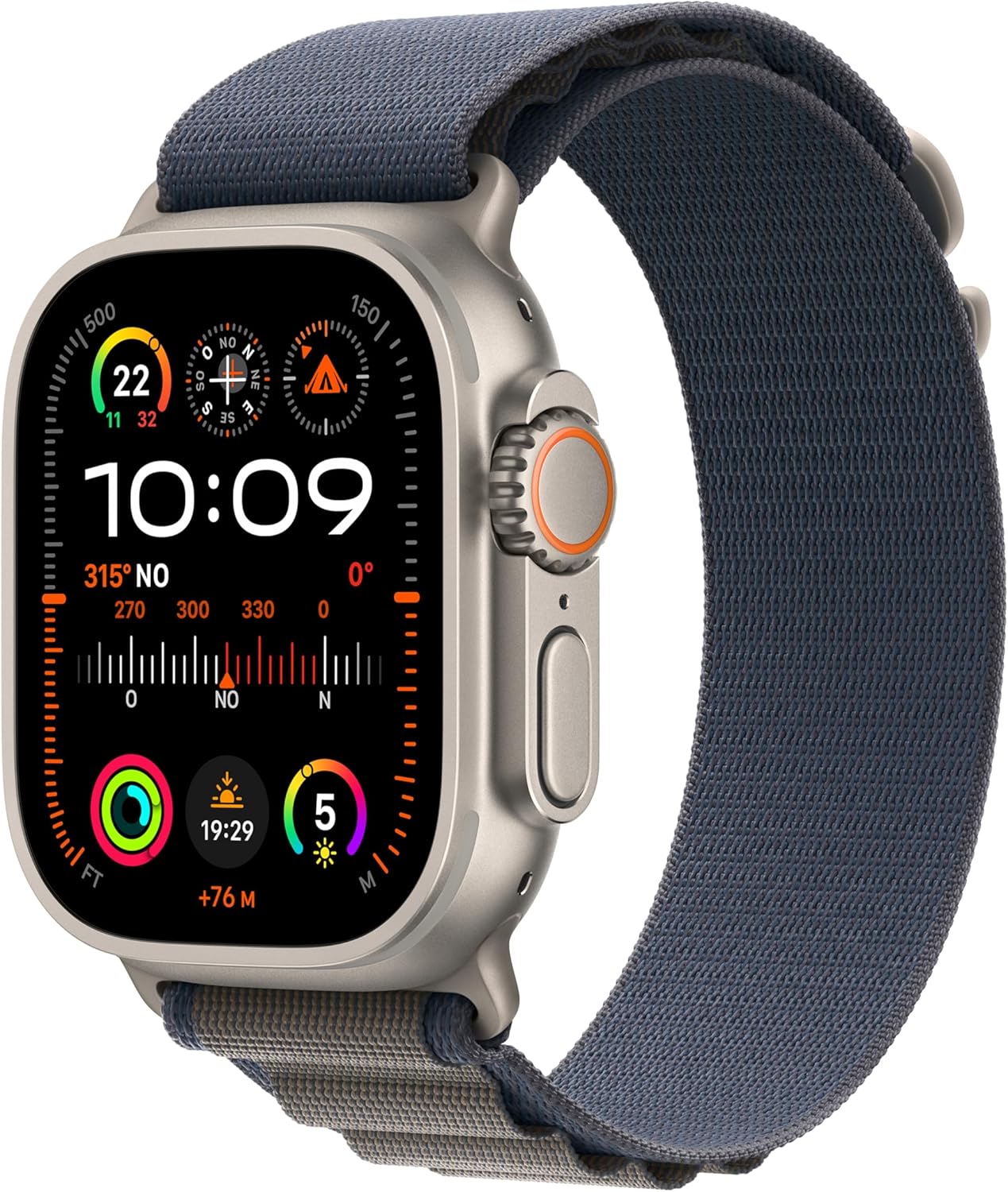
Apple Watch Ultra 2
~799 eurosThe Ultra 2 is the Apple Watch for athletes. 49mm titanium case, 2,000-nit screen readable in any light condition, dual-frequency GPS, programmable action button, and battery that doubles the Series 10. The action button is a real advantage for running: you can configure it to start/pause workouts, mark laps, or activate quick functions without touching the screen. Its titanium construction withstands impacts and drops that would scratch a Series 10.
| Specification | Series 10 (42 mm) | Ultra 2 |
|---|---|---|
| Price | ~449 euros (GPS) | ~799 euros |
| GPS battery | ~6 hours | ~12 hours |
| Smartwatch battery | ~18 hours | ~36 hours |
| GPS | L1 (single frequency) | L1 + L5 (dual frequency) |
| Screen | OLED, 1000 nits | OLED, 2000 nits |
| Weight | 36 g (aluminum) | 61.4 g (titanium) |
| Water resistance | WR50 | WR100 + EN 13319 |
| Case material | Aluminum / Titanium | Titanium |
| Crystal | Ion-X / Sapphire | Sapphire |
| Action button | No | Yes |
| Speaker/siren | Standard speaker | Emergency siren (86 dB) |
| Running metrics | All | All |
| LTE | Optional | Included |
Comparison: Apple Watch vs Garmin vs COROS
The question every runner with an iPhone asks: should I buy an Apple Watch for running or a dedicated running watch? Let's compare the Apple Watch Ultra 2 (the best Apple Watch for running) with two of the most popular and recommended running watches on the market. For a deeper comparison, check out our article Garmin Forerunner 265 vs COROS PACE 3.
| Specification | Apple Watch Ultra 2 | Garmin FR 265 | COROS PACE 3 |
|---|---|---|---|
| Price | ~799 euros | ~349 euros | ~230 euros |
| GPS battery | ~12 h | ~24 h | ~38 h |
| Smartwatch battery | ~36 h | ~13 days | ~24 days |
| GPS | Dual frequency | Multiband | Multiband |
| Screen | OLED 2000 nits | AMOLED 416x416 | MIP touchscreen |
| Weight | 61.4 g | 47 g | 39 g |
| Offline music | Yes (Spotify, Apple Music) | Yes (Spotify, Deezer, Amazon) | No |
| NFC payments | Apple Pay | Garmin Pay | No |
| Maps | Yes (with apps) | No | No |
| Physical buttons | 1 + crown + side | 5 + touchscreen | 3 + touchscreen |
| Training Load | Basic | Advanced | Advanced |
| Training plans | Not native | Garmin Coach (free) | COROS Training Hub |
| LTE | Yes | No | No |
| Fall detection | Yes + crashes | Yes (Incident Detection) | No |
| ECG | Yes | No | No |
| Compatible with | iPhone only | iPhone and Android | iPhone and Android |
The numbers speak for themselves. The Apple Watch Ultra 2 is an exceptional smartwatch with very competent running features. But it costs more than double a Garmin Forerunner 265 and more than triple a COROS PACE 3, while offering less battery, less depth in training metrics, and fewer running-specific features. Where it wins decisively is in smartwatch features, app ecosystem, LTE connectivity, and health features like ECG. For a more detailed analysis of all these watches, visit our GPS running watches section.

Garmin Forerunner 265
~349 eurosStunning AMOLED display, accurate multiband GPS, 24 hours of GPS battery, offline music with Spotify, Garmin Pay, 5 physical buttons + touchscreen, and the most complete training ecosystem on the market with Garmin Connect. If running is your priority, the Forerunner 265 offers more sports features for less money than any Apple Watch.
Verdict: who is the Apple Watch for?
After thoroughly analyzing the Apple Watch's running features, its exclusive advantages, and its limitations compared to the competition, our verdict is clear and nuanced.
The Apple Watch is for you if...
- You want a smartwatch first and a running watch second. If 80% of your use will be as a smartwatch (notifications, health, apps, Apple Pay) and 20% as a sports watch, the Apple Watch is the best option on the market without any doubt.
- You're already in the Apple ecosystem. If you have an iPhone, AirPods, and maybe a Mac, the Apple Watch's integration is unbeatable. Everything works together seamlessly.
- You're a recreational runner. If you run 2-4 times a week, your sessions last under 90 minutes, and you don't follow a structured training plan with periodization, the Apple Watch will give you more than enough. The running metrics are good, GPS is accurate for recreational use, and the user experience is the best on the market.
- You value safety features. Fall detection, crash detection, LTE emergency calling, and ECG are features that can matter greatly if you run alone, in isolated areas, or at unusual hours.
- Music while running is essential. The music experience on the Apple Watch with AirPods is unbeatable. If you can't run without your Spotify playlist, the Apple Watch will give you the best experience.
The Apple Watch is NOT for you if...
- You're a competitive or serious runner. If you train for marathons with a structured plan, if you train 5-6 times a week, if you analyze your training data in depth and need metrics like Training Readiness, HRV Status, and detailed Training Load, a Garmin or COROS will give you much more powerful tools.
- You run ultramarathons or long trails. The Apple Watch's battery, even on the Ultra 2, can't compete with the 38+ hours of GPS on a COROS PACE 3 or the 31 hours on a Garmin Forerunner 965. In a 100K ultra, you need absolute battery reliability.
- You're looking for the best value for running. The Apple Watch Ultra 2 costs 799 euros and offers 12 hours of GPS. The COROS PACE 3 costs 230 euros and offers 38 hours of GPS with multiband GPS. For pure running, the price difference is not justified by the sports features.
- You use Android. The Apple Watch only works with iPhone. If you have Android, it's not even an option. Check our guide on the best value GPS running watch for excellent alternatives.
- You want to forget about charging your watch. If the idea of charging your watch daily seems like an inconvenience, dedicated running watches that last 1-3 weeks in smartwatch mode and 24-38 hours on GPS are much more practical.
Frequently Asked Questions
Can the Apple Watch handle a full marathon?
Yes, the Apple Watch can record a full marathon, but with battery considerations. The Apple Watch Series 10 offers about 6 hours of continuous GPS, which is sufficient if your marathon goal is under 5 hours and you start with 100% battery. However, it leaves no margin for unexpected delays. The Apple Watch Ultra 2 offers about 12 hours of GPS, giving much more peace of mind even for runners who take more than 5 hours. By comparison, a Garmin Forerunner 265 offers 24 hours and a COROS PACE 3 reaches 38 hours, eliminating any battery concerns. If you regularly train for marathons, the Ultra 2 is the minimum recommended within the Apple Watch range.
Is Apple Watch GPS accurate for running?
The Apple Watch Ultra 2, with its dual-frequency GPS (L1+L5), offers accuracy comparable to dedicated sports watches like the Garmin Forerunner 265 or COROS PACE 3, especially in open spaces. In our testing, distance deviations are under 1% in parks and open routes. The Apple Watch Series 10 uses single-frequency GPS, which works well in favorable conditions but can accumulate 2-3% errors on narrow streets between tall buildings or in forested areas. For recreational runners training in parks or open areas, both models offer sufficient accuracy. For those who need maximum reliability in any condition, the Ultra 2 or a watch with multiband GPS is the right choice.
Does the Apple Watch measure Running Power?
Yes, since watchOS 9 the Apple Watch natively measures Running Power in watts using its built-in accelerometer and gyroscope, without needing an external sensor. It also measures vertical oscillation, ground contact time, stride length, and cadence. These metrics are displayed in real time in the Workout app and stored in the Health app. The Apple Watch's running power is an algorithmic estimate, not a direct measurement like a dedicated sensor such as the Stryd. It's useful as a relative reference for comparing workouts against each other, but absolute values may differ from a power pod.
Can I use Strava on the Apple Watch?
Yes, Strava has a full app for Apple Watch. You can record runs directly from the watch, seeing pace, heart rate, and distance in real time. Strava segments appear with live alerts if you have a subscription. You can also record runs with Apple's native app and automatically sync to Strava afterward, giving you access to Apple's advanced metrics and Strava's social component simultaneously. Beyond Strava, other popular apps like Nike Run Club, WorkOutDoors, Runkeeper, and Komoot are available on Apple Watch, offering a much broader running app ecosystem than Garmin or COROS. Discover more options in our best running apps guide.
Apple Watch or Garmin for running?
It depends radically on your priorities. If you're a serious runner who trains 4-5 times a week, follows a structured training plan, and needs deep load, recovery, and performance metrics, Garmin is the superior choice. Garmin Connect is the most complete training analysis platform on the market, battery life is far superior (24-31 hours of GPS vs 6-12 for the Apple Watch), and Garmin Coach's adaptive training plans are free and very effective. If you want the best smartwatch on the market that also lets you run with good metrics, flawless notifications, offline music, and LTE connectivity, the Apple Watch wins without question. For recreational runners with an iPhone, the Apple Watch is sufficient and offers an unbeatable daily user experience.
Is the Apple Watch sweat and rain resistant for running?
Yes, without any issues. The Apple Watch Series 10 has WR50 water resistance certification (50 meters), more than enough for heavy sweat, rain, and splashes. The Ultra 2 has WR100 certification (100 meters) and meets the EN 13319 standard for recreational diving, so it handles any imaginable running condition: torrential rain, mud, snow, or stream crossings on trails. What you should keep in mind is that the touchscreen loses some sensitivity when your hands are very wet from sweat or rain, something that doesn't happen with the physical buttons on Garmin or COROS watches. The Ultra 2 mitigates this issue with its programmable action button.
Is the Apple Watch Ultra 2 worth it over the Series 10 for running?
For runners, yes, it's worth it if you can afford the price difference. The Ultra 2's running-relevant improvements are significant: double the GPS battery life (12 hours vs 6), dual-frequency GPS for better accuracy, a programmable action button that lets you control workouts without touching the screen (essential with gloves or wet hands), a larger and brighter display (2,000 nits vs 1,000) that reads perfectly in direct sunlight, and a titanium construction with sapphire crystal that handles impacts and scratches. If you run less than an hour a day in normal conditions and don't need multiband GPS, the Series 10 is functionally sufficient and saves nearly 350 euros.